EU Taxonomy Alignment Screen and Article 8 KPI Workbook
Screen activities against Article 3 with 16 Climate Delegated Act criteria, then fill the 2026/73 Article 8 KPI templates (Template 1 and 2).
Choose the licence on the Gumroad page. Payment and VAT are handled by Gumroad, the merchant of record. Also sold on Flevy ($39, single user, same file). Also on Eloquens (ELQ-15522-1, same file).
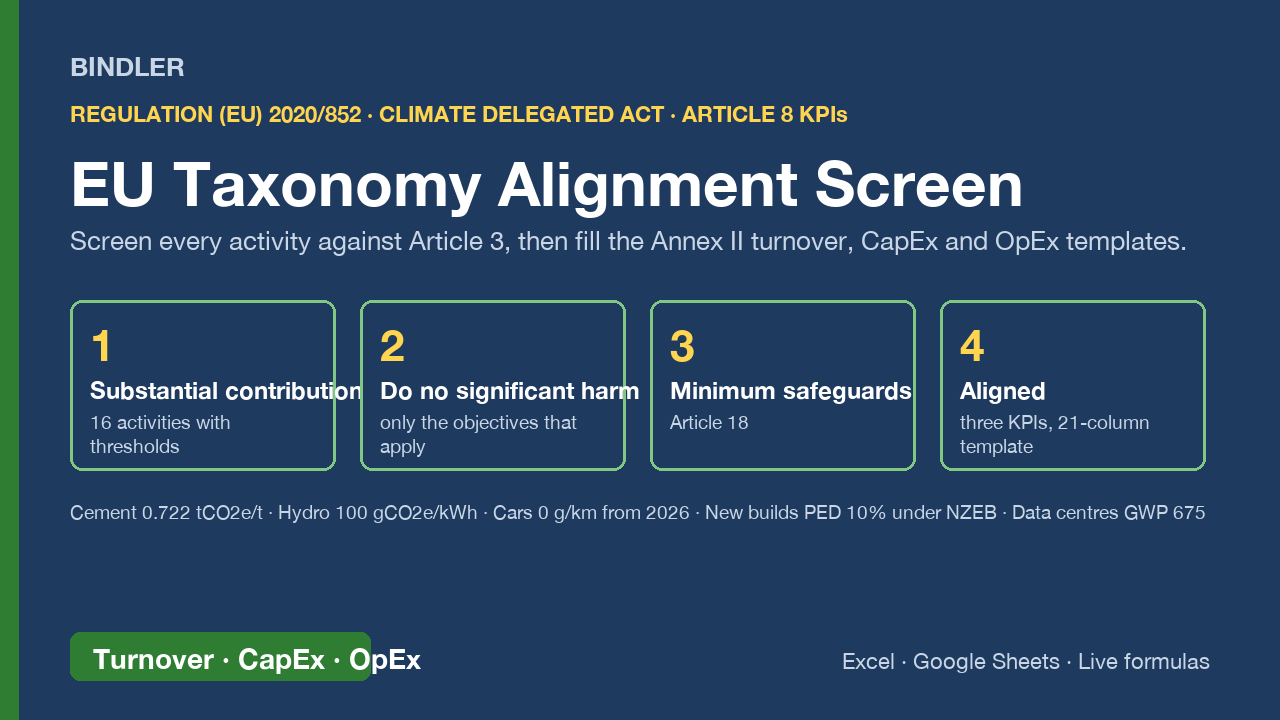
Article 8 of the Taxonomy Regulation asks every in-scope company for three numbers: the share of turnover, CapEx and OpEx that is Taxonomy-aligned. Getting there means screening each activity against Article 3 and then filling the Annex II templates that apply from 1 January 2026 under Delegated Regulation (EU) 2026/73: Template 1 (summary KPIs, 16 columns) and Template 2 (activity breakdown, one per KPI). This workbook does both, and it applies the new 10% non-material rule.
- Criteria library: 16 climate change mitigation activities from Annex I of the Climate Delegated Act (solar PV, wind, hydro, grid, storage, RE manufacturing, cement, iron and steel, freight rail, urban transport, cars and vans, new buildings, renovation, RE installation, building acquisition, data centres). For each: the substantial contribution criterion, the numeric threshold where one exists (cement 0.722 tCO2e/t, hydro 100 gCO2e/kWh, cars 0 g/km from 2026, new buildings PED 10% under NZEB, data centre refrigerant GWP 675), which DNSH objectives apply and which the Act marks N/A, and whether the activity is enabling or transitional.
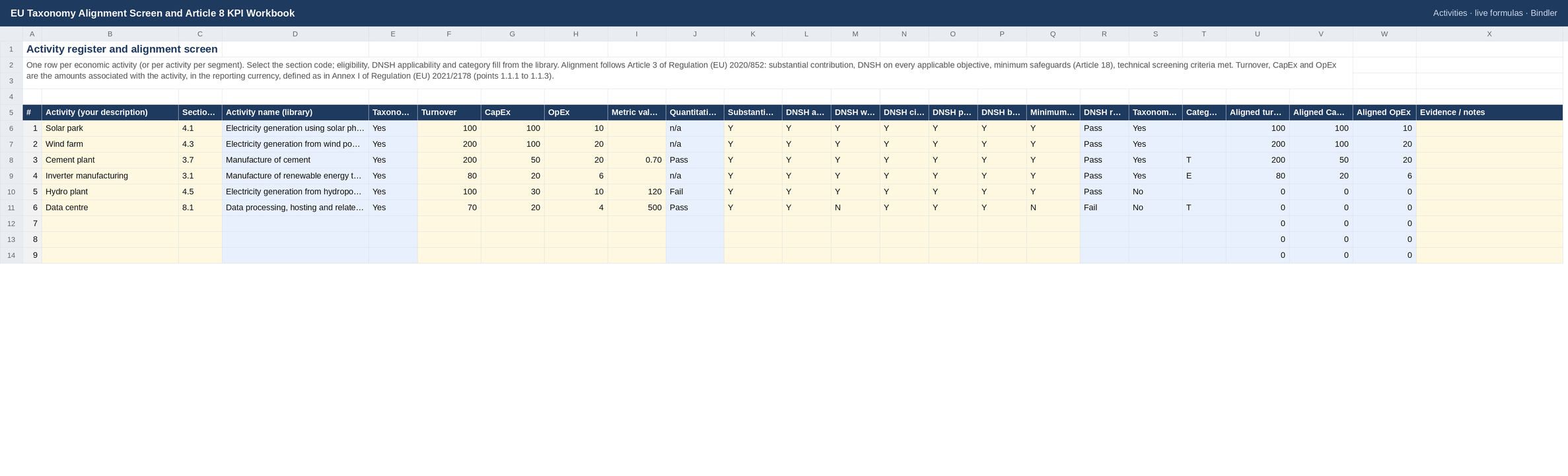
- Activity register: pick the section code, enter turnover, CapEx and OpEx and the metric; the quantitative test says Pass or Fail, DNSH is checked only on the objectives that apply, and alignment computes from the four Article 3 conditions.
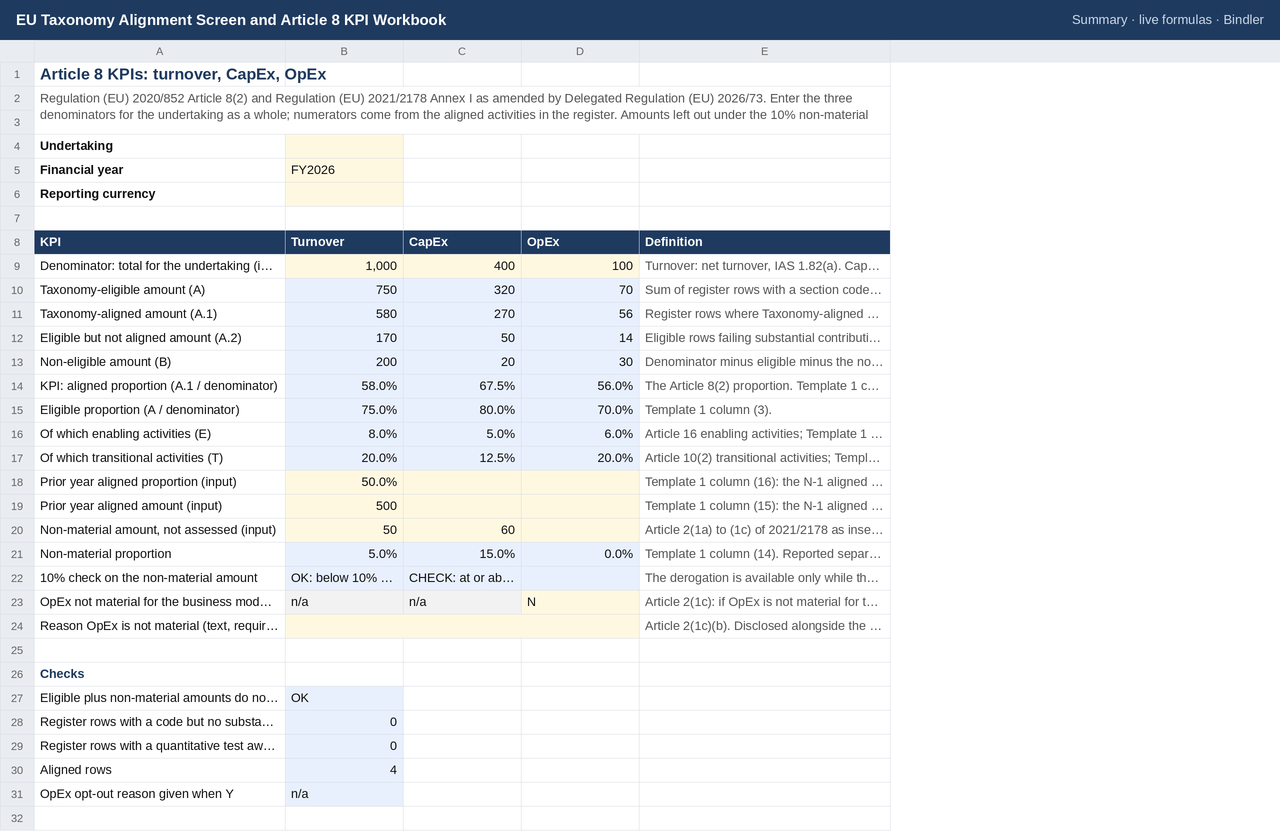
- Summary: the three KPIs with eligible, aligned, eligible-not-aligned, non-material and non-eligible splits, enabling and transitional shares, the 10% check on the non-material amount (Article 2(1a) to (1c)), the OpEx opt-out with its reason, and integrity checks.
- Template 1 and three Template 2 sheets (turnover, CapEx, OpEx) in the 2026/73 layout, filled from the register: eligible and aligned proportions, the objective breakdown, E and T markers, aligned-in-eligible ratio, the non-material column, prior-year columns, and the checks the explanatory notes require (columns 6 to 11 sum to column 5; Total KPI row equals Template 1).
Every criterion is read from the EUR-Lex text and the library cites the section. Add your own activities in the yellow rows. Live formulas, no macros, no locked cells. Excel and Google Sheets. Not legal advice; the delegated acts control, and the Guide says exactly what to check by hand.
Checked, not asserted. This workbook was recalculated cell by cell through a formula engine and matched against an independent replica written separately: 59 checks, all passing, last run 2026-10-17. Each check compares the figure the workbook produces against one worked out separately by hand before the run, so a figure lost in packaging fails the check rather than reaching you. Read the verification report for the UAE Corporate Tax workbook, or how Bindler verifies.
What was checked: all 59, by name
Each line is one figure recalculated and matched against a value worked out by hand before the run. The figures themselves are in the workbook.
- cement quantitative test
- hydro quantitative test
- data centre aligned
- solar aligned
- aligned turnover
- KPI turnover
- eligible turnover
- enabling
- transitional
- KPI capex
- KPI opex
- non-eligible turnover (den - eligible - non-material)
- non-material proportion turnover
- 10% check turnover
- 10% check capex (60 of = 15%)
- 10% check opex blank
- Summary check eligible+NM<=den
- aligned rows
- opt-out reason check
- Template 1 turnover B7
- Template 1 turnover C7
- Template 1 turnover D7
- Template 1 turnover E7
- Template 1 turnover F7
- Template 1 turnover L7
- Template 1 turnover M7
- Template 1 turnover N7
- Template 1 turnover O7
- Template 1 turnover P7
- Template 1 capex N8 (60/)
- Template 1 opex N9
- Template 1 opex O9 blank
- Template 1 check sum 6-11
- Template 1 summary-checks line (capex 15% trips it)
- Template 1 omission note
- T2 solar code
- T2 solar col3
- T2 solar col5
- T2 solar col14
- T2 hydro col3
- T2 hydro col4
- T2 hydro col14
- T2 cement T
- T2 inverter E
- T2 data centre E blank (not aligned)
- T2 total col3
- T2 total col4
- T2 total col5
- T2 total CCM
- T2 total E
- T2 total T
- T2 total col14
- T2 sum per objective CCM
- T2 turnover check vs Template 1
- T2 turnover check col5=6..11
- T2 capex total col5
- T2 capex check
- T2 opex total col5
- T2 opex check
What is inside
1 Excel workbook (.xlsx), sheets: Summary, Criteria library, Activities, Template 1, Turnover KPI, CapEx KPI, OpEx KPI (Template 2), Guide, Sources
Use it if
You report Article 8 Taxonomy KPIs inside a CSRD sustainability statement or for investors.
Not for
You need criteria for the four non-climate objectives; the library covers climate change mitigation, and you can extend it.
Who you are buying from
Bindler is the trading name of Neil Sangwaiya, one person in Dubai. There is no company behind that name, no sales team and no reviews, and this page is not going to pretend otherwise. What there is instead is a record. Gumroad takes the payment and is the merchant of record, so your card details never reach Bindler. Where a figure could not be verified the cell is left blank rather than filled. When something was found wrong it was written down and dated in the change log with the old figure named. And there is a 30-day money back guarantee, no reason needed, handled by Gumroad.
What you actually download
One spreadsheet file. No macros and no VBA, because the .xlsx format cannot carry them. No locked cells and no hidden sheets. If your IT will not let you open a spreadsheet from outside, upload it to Google Sheets and it opens there. And yes, an AI built it: that is exactly why every figure is recalculated against a replica worked out by hand first, rather than trusted.
Sheet previews
How buying works
- Choose a licenceSingle user for one person, team for up to 10, consultancy to use with clients. The buttons above go to the Gumroad page.
- Pay on GumroadCard or PayPal; Gumroad is the merchant of record and handles VAT and the receipt.
- Download the fileThe .xlsx arrives on the receipt page and by email. It opens in Excel and Google Sheets; nothing to install.
- Use itYellow cells are inputs, blue cells are formulas, every figure names its source. Questions: reply to the receipt; every reply is read and answered, usually the same day.
Advisers and accountants who recommend these workbooks to clients can earn 30% of each sale as a Gumroad affiliate: sign up on the store, no approval wait.
Search terms this page answers: eu taxonomy alignment template excel, article 8 kpi template turnover capex opex.