Cap Table with SAFE and Convertible Note Conversion
Option pool top-up, dilution, exit waterfall
Converts post-money SAFEs and notes into a priced round with pool top-up; round price, dilution per holder and a 1x preference exit waterfall.
Choose the licence on the Gumroad page. Payment and VAT are handled by Gumroad, the merchant of record. Also sold on Flevy ($39, single user, same file). Also on Eloquens (ELQ-63800-1, same file).
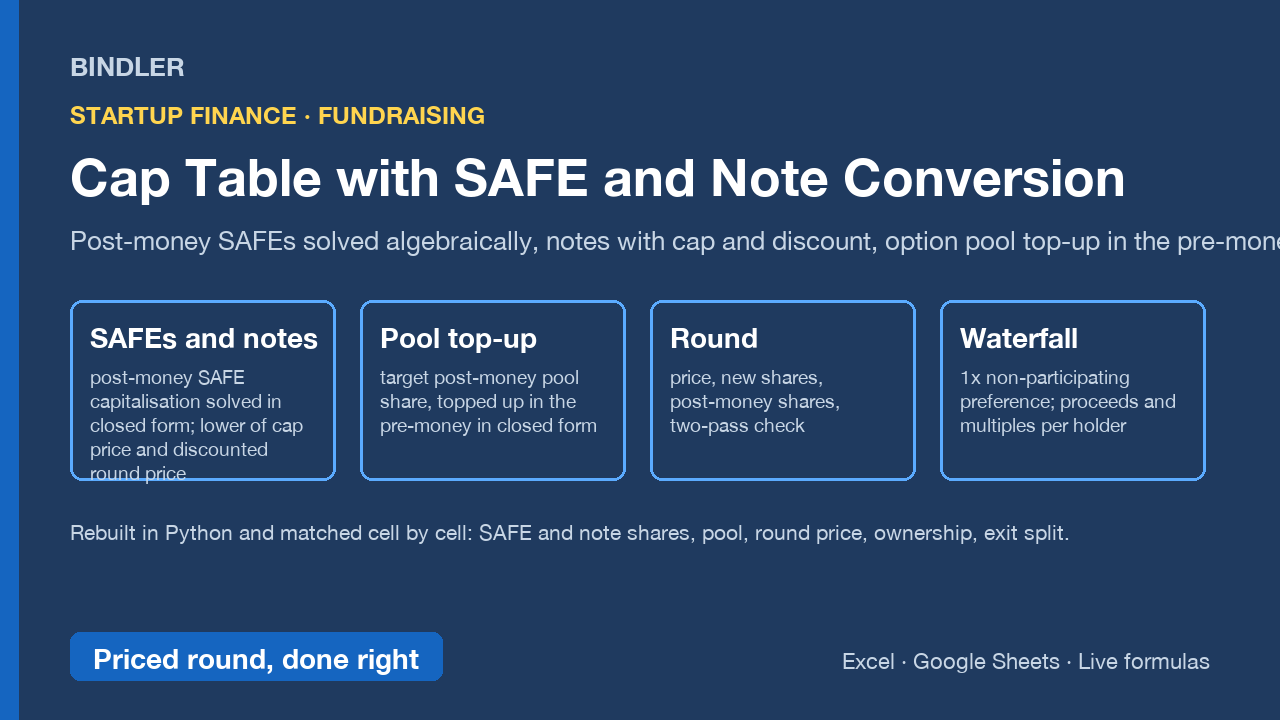
The cap table founders and seed investors argue about, with the arithmetic done properly. Post-money SAFEs convert at cap over company capitalisation including all SAFE shares, which is circular; this workbook solves it in closed form instead of guessing. Notes convert at the lower of their cap price and the discounted round price. The option pool is topped up in the pre-money to a target share of post-money capital, also in closed form. Then the round is priced, every holder's dilution is shown, and an exit waterfall splits the proceeds.
- Inputs: existing holders and classes, post-money SAFEs (amount, cap, discount), convertible notes (principal, accrued interest, cap, discount), the priced round (pre-money, new money, target pool share, lead investor), exit value and preference multiple.
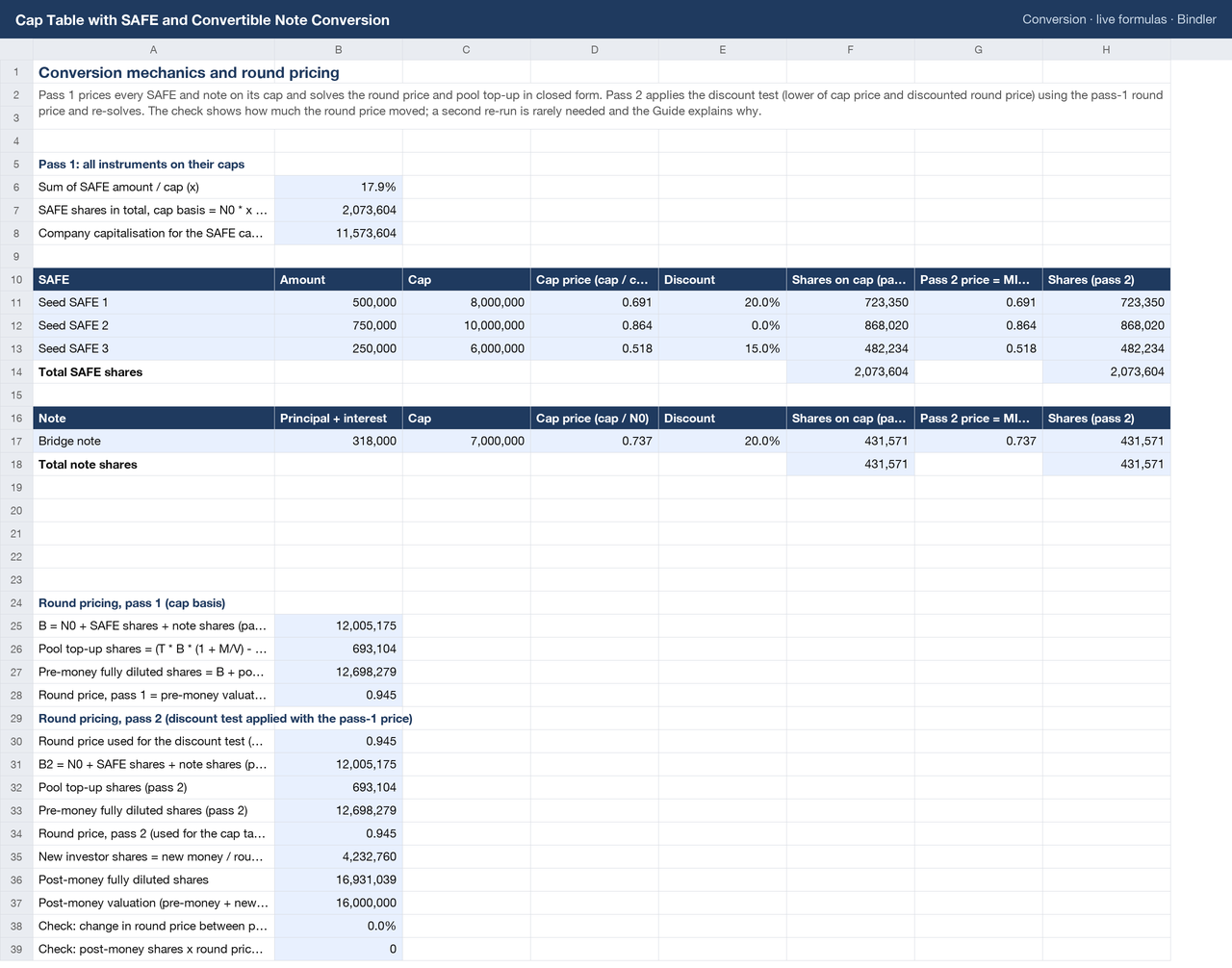
- Conversion: the SAFE capitalisation solution (total SAFE shares = N0 x / (1 - x)), cap prices, discount test, shares per instrument; pass 1 on caps, pass 2 with the discount test; pool top-up, pre-money fully diluted shares, round price, new investor shares, post-money shares and two checks.
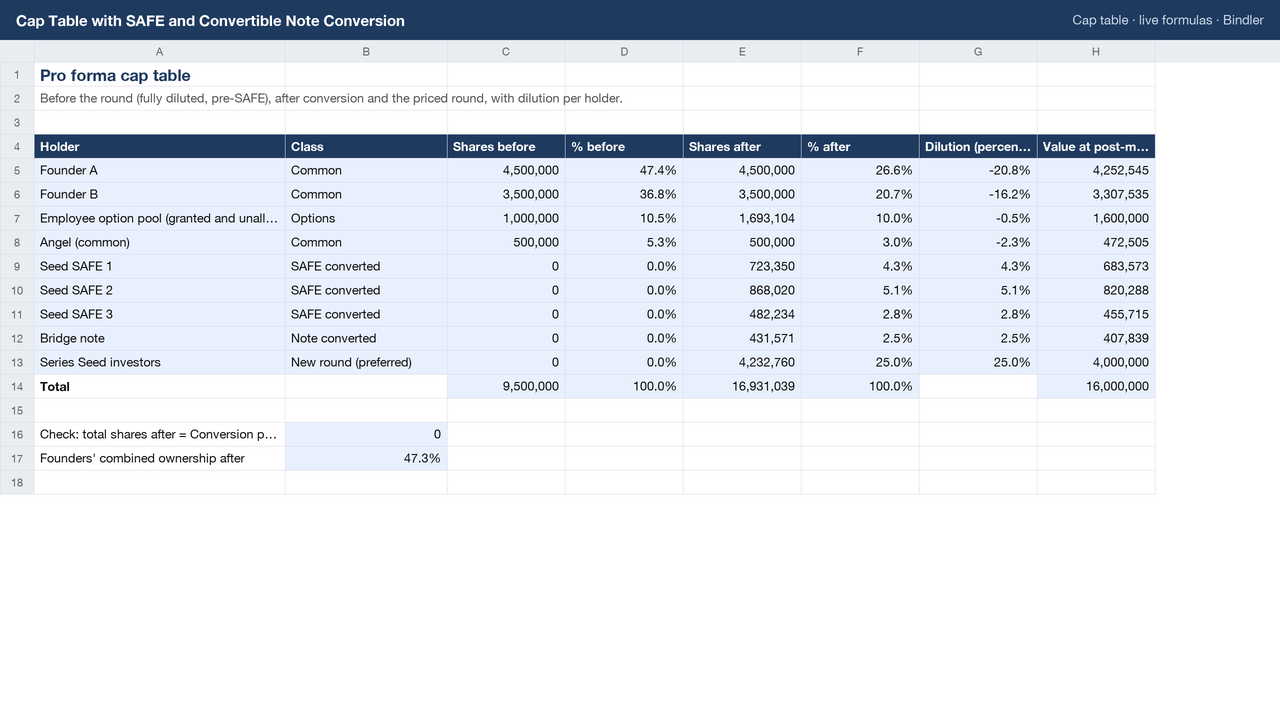
- Cap table: shares and percentage before and after, dilution in percentage points, value at the post-money for every holder, founders' combined ownership.
- Exit waterfall: the new round takes the greater of its 1x non-participating preference and its as-converted share; the rest is shared pro rata; proceeds, share of exit and multiple on money for every holder.
Rebuilt independently in Python from the same inputs and matched cell by cell before listing. The Guide states every convention (post-money SAFE, pre-money note cap, pre-money pool top-up, zero-strike options in the waterfall) so you can change the one your documents differ on. Live formulas, no macros, no locked cells. Excel and Google Sheets.
Who it is for: founders modelling a round before the term sheet, angels and seed funds checking a proposed cap table, accelerator and law-firm teams who need the mechanics in a file the client can read.
Checked, not asserted. This workbook was recalculated cell by cell through a formula engine and matched against an independent replica written separately: 14 checks, all passing, last run 2026-10-17. Each check compares the figure the workbook produces against one worked out separately by hand before the run, so a figure lost in packaging fails the check rather than reaching you. Read the verification report for the UAE Corporate Tax workbook, or how Bindler verifies.
What was checked: all 11, by name
Each line is one figure recalculated and matched against a value worked out by hand before the run. The figures themselves are in the workbook.
- SAFE total pass1
- note shares p1
- pool top-up p1
- new shares
- post shares
- founders %
- new round takes
- per share common
- founder A proceeds
- SAFE1 shares p2
- price change
What is inside
1 Excel workbook (.xlsx), sheets: Conversion, Inputs, Cap table, Exit waterfall, Guide
Use it if
You are raising or investing in a priced round on top of SAFEs or notes and need the conversion and dilution computed, not estimated.
Not for
You need multi-class participating preferences or strike-adjusted option waterfalls; the waterfall here is one preferred class, 1x non-participating.
Who you are buying from
Bindler is the trading name of Neil Sangwaiya, one person in Dubai. There is no company behind that name, no sales team and no reviews, and this page is not going to pretend otherwise. What there is instead is a record. Gumroad takes the payment and is the merchant of record, so your card details never reach Bindler. Where a figure could not be verified the cell is left blank rather than filled. When something was found wrong it was written down and dated in the change log with the old figure named. And there is a 30-day money back guarantee, no reason needed, handled by Gumroad.
What you actually download
One spreadsheet file. No macros and no VBA, because the .xlsx format cannot carry them. No locked cells and no hidden sheets. If your IT will not let you open a spreadsheet from outside, upload it to Google Sheets and it opens there. And yes, an AI built it: that is exactly why every figure is recalculated against a replica worked out by hand first, rather than trusted.
Sheet previews
How buying works
- Choose a licenceSingle user for one person, team for up to 10, consultancy to use with clients. The buttons above go to the Gumroad page.
- Pay on GumroadCard or PayPal; Gumroad is the merchant of record and handles VAT and the receipt.
- Download the fileThe .xlsx arrives on the receipt page and by email. It opens in Excel and Google Sheets; nothing to install.
- Use itYellow cells are inputs, blue cells are formulas, every figure names its source. Questions: reply to the receipt; every reply is read and answered, usually the same day.
Advisers and accountants who recommend these workbooks to clients can earn 30% of each sale as a Gumroad affiliate: sign up on the store, no approval wait.
Try the free cap table calculator first: SAFEs and notes into a priced round, in your browser.
Search terms this page answers: cap table template safe conversion excel, post-money safe cap table calculator, convertible note conversion dilution model.