ESOP and Option Pool Model
Vesting schedules, IFRS 2 graded expense, leavers, pool usage, exit value
Option grant register with cliff and monthly vesting, leaver forfeitures, IFRS 2 graded expense by month, pool usage and intrinsic value at exit.
Choose the licence on the Gumroad page. Payment and VAT are handled by Gumroad, the merchant of record. Also sold on Flevy ($29, single user, same file). Also on Eloquens (ELQ-87243-1, same file).
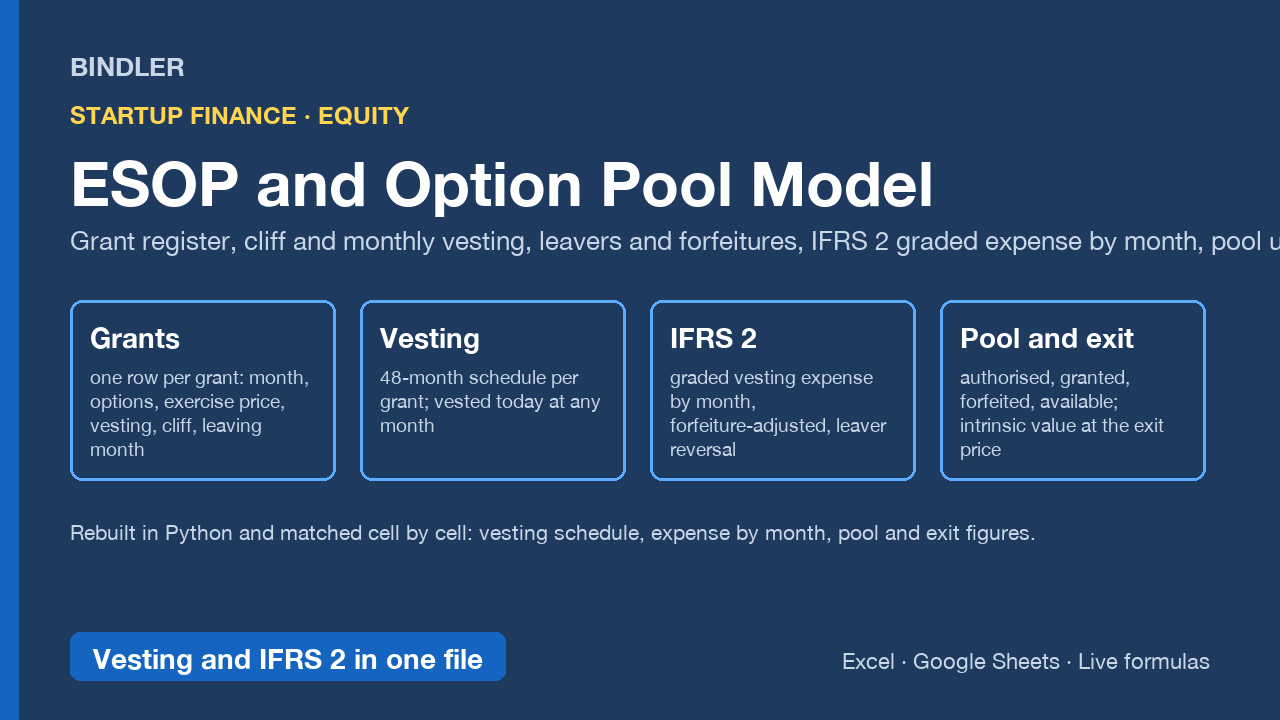
Every option grant in one register, with the schedule that HR needs, the expense that the auditor needs and the pool figures that the board needs.
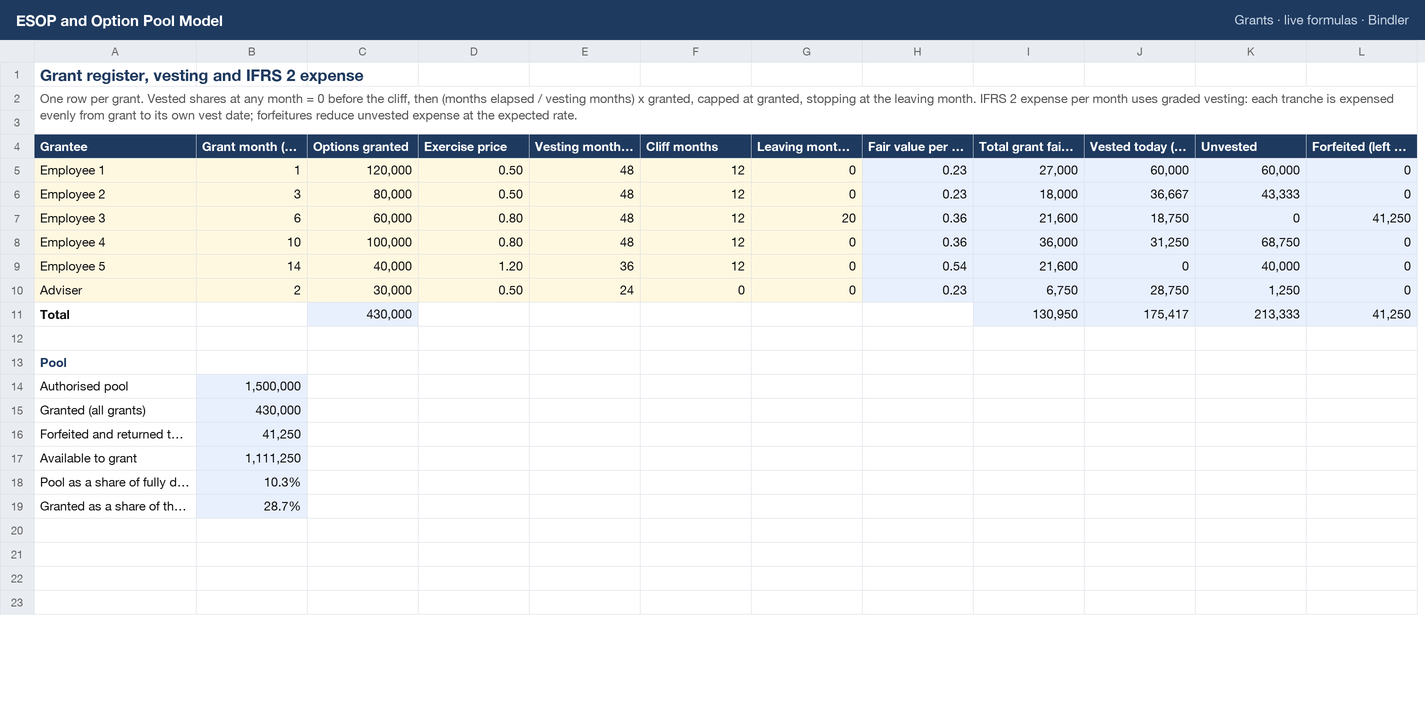
- Grants: one row per grant with grant month, options, exercise price, vesting months, cliff, leaving month; fair value per option from the Inputs share; vested today, unvested and forfeited at the month you select.
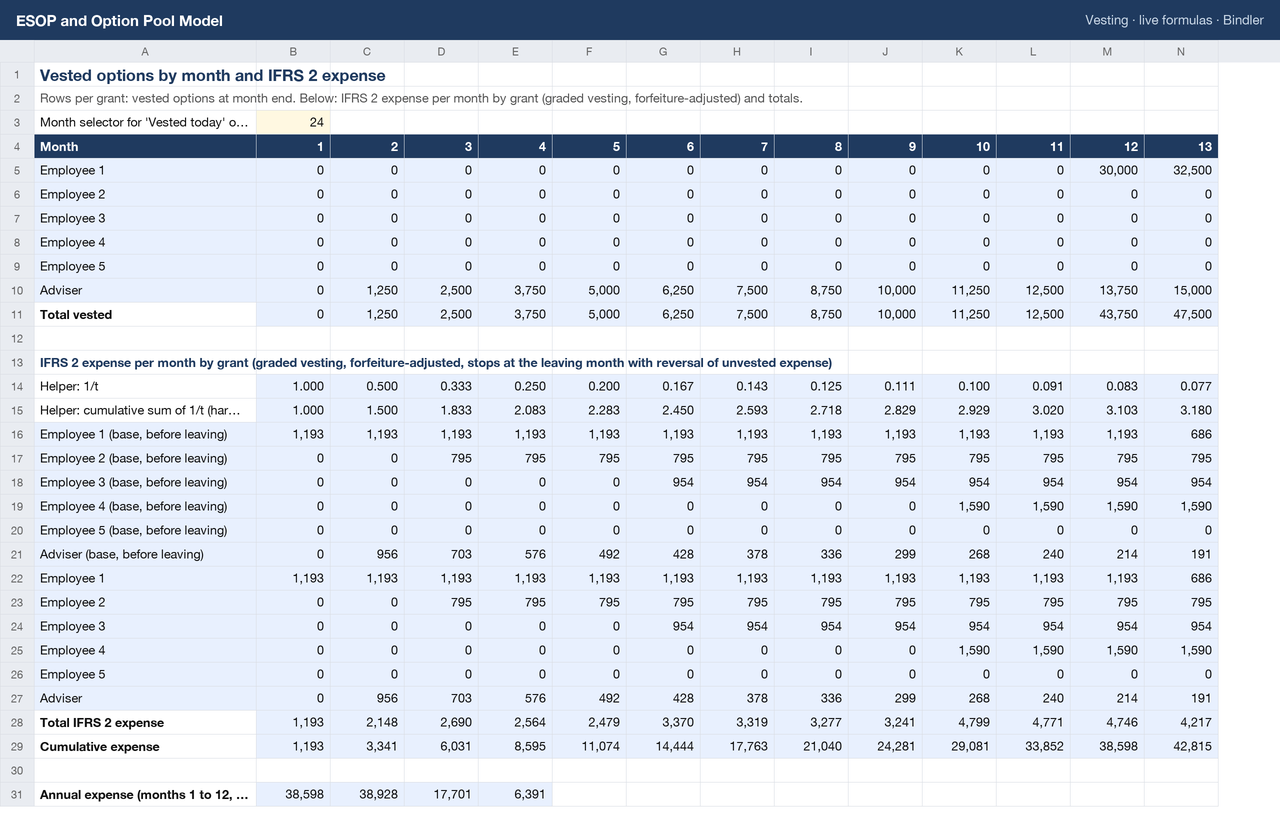
- Vesting: a 48-month schedule per grant. Nothing before the cliff, the cliff months at once, then monthly pro rata, capped at the grant, stopping at the leaving month.
- IFRS 2 expense: graded vesting, where each monthly tranche is expensed evenly from grant to its own vest date (front-loaded, as the standard requires), adjusted for expected forfeitures, with the expense on forfeited options reversed in the leaving month; totals, cumulative and annual figures.
- Pool: authorised, granted, forfeited and returned, available to grant, pool as a share of fully diluted capital.
- Exit value: intrinsic value of vested and of all granted options at the exit share price, and each grant's share of fully diluted capital.
Rebuilt independently in Python from the same inputs and matched cell by cell before listing. The Guide states the conventions and what to confirm with your auditor. Live formulas, no macros, no locked cells. Excel and Google Sheets.
Who it is for: founders and finance leads running an option plan, HR keeping the schedule, accountants preparing the IFRS 2 charge for the first audit.
Checked, not asserted. This workbook was recalculated cell by cell through a formula engine and matched against an independent replica written separately: 15 checks, all passing, last run 2026-10-17. Each check compares the figure the workbook produces against one worked out separately by hand before the run, so a figure lost in packaging fails the check rather than reaching you. Read the verification report for the UAE Corporate Tax workbook, or how Bindler verifies.
What was checked: all 15, by name
Each line is one figure recalculated and matched against a value worked out by hand before the run. The figures themselves are in the workbook.
- vested E1 m24
- vested E3 m30 (leaver m20)
- vested Adv m24
- total vested m48
- expense E1 m1
- expense E1 m13
- expense E3 m20 reversal
- expense E3 m21
- total expense m10
- cum m48
- year1
- grants vested today E1
- forfeited E3
- available
- exit vested E1
What is inside
1 Excel workbook (.xlsx), sheets: Grants, Inputs, Vesting, Exit value, Guide
Use it if
You run an employee option plan and need vesting, expense and pool figures from one register.
Not for
You need a Black-Scholes valuation engine; enter your fair value share on Inputs, the expense mechanics follow.
Who you are buying from
Bindler is the trading name of Neil Sangwaiya, one person in Dubai. There is no company behind that name, no sales team and no reviews, and this page is not going to pretend otherwise. What there is instead is a record. Gumroad takes the payment and is the merchant of record, so your card details never reach Bindler. Where a figure could not be verified the cell is left blank rather than filled. When something was found wrong it was written down and dated in the change log with the old figure named. And there is a 30-day money back guarantee, no reason needed, handled by Gumroad.
What you actually download
One spreadsheet file. No macros and no VBA, because the .xlsx format cannot carry them. No locked cells and no hidden sheets. If your IT will not let you open a spreadsheet from outside, upload it to Google Sheets and it opens there. And yes, an AI built it: that is exactly why every figure is recalculated against a replica worked out by hand first, rather than trusted.
Sheet previews
How buying works
- Choose a licenceSingle user for one person, team for up to 10, consultancy to use with clients. The buttons above go to the Gumroad page.
- Pay on GumroadCard or PayPal; Gumroad is the merchant of record and handles VAT and the receipt.
- Download the fileThe .xlsx arrives on the receipt page and by email. It opens in Excel and Google Sheets; nothing to install.
- Use itYellow cells are inputs, blue cells are formulas, every figure names its source. Questions: reply to the receipt; every reply is read and answered, usually the same day.
Advisers and accountants who recommend these workbooks to clients can earn 30% of each sale as a Gumroad affiliate: sign up on the store, no approval wait.
Search terms this page answers: esop vesting schedule excel template, ifrs 2 share based payment expense model, option pool tracker.