Freelancer Rate, Invoice and Cash Workbook
Day rate from target income, invoice register with ageing, 12-month cash, verified
Day rate from the income you want, costs, tax reserve and days off; an invoice register with due dates, overdue days and ageing; a 12-month cash view. Verified.
Not on Gumroad yet: the store admits ten new listings a day and this one is in the queue. Follow below and the link arrives the day it goes live.
The price applies once the listing is live. Payment and VAT are handled by Gumroad, the merchant of record.
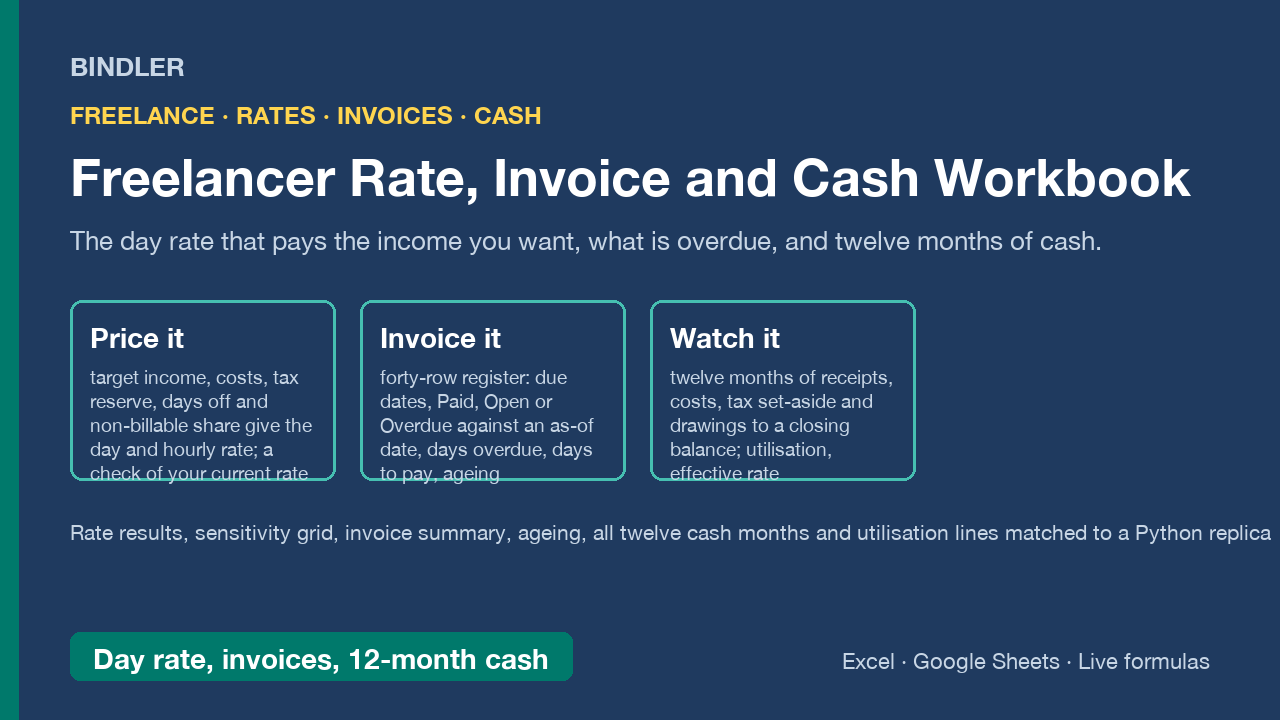
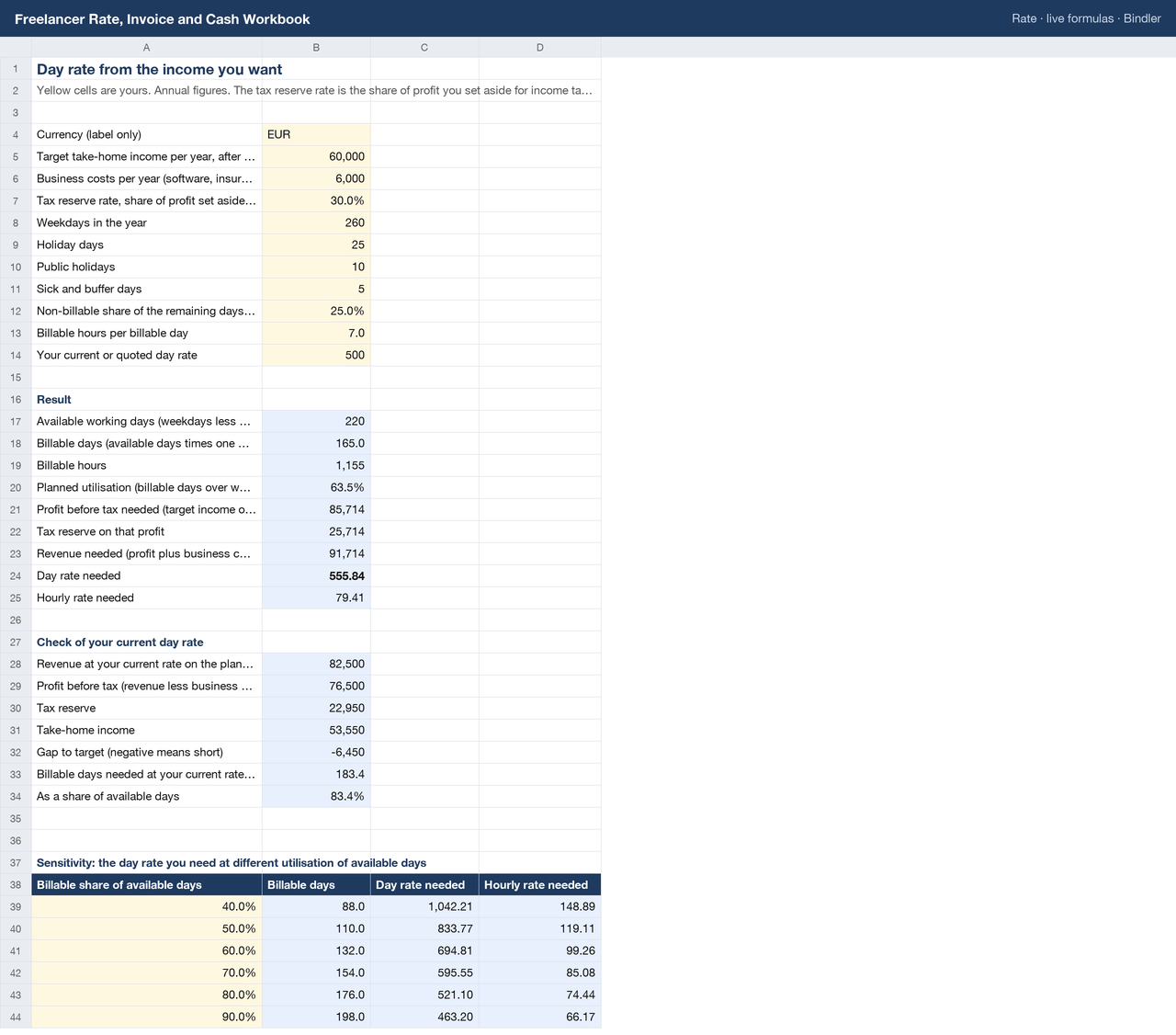
Three sheets a freelancer actually needs. Rate: enter the take-home income you want, yearly business costs, the share of profit you set aside for tax, your days off and the share of remaining days that are not billable; the sheet gives available and billable days, the profit and revenue needed, and the day and hourly rate that deliver them. A check block runs your current rate through the same arithmetic and shows the gap, and a grid shows the rate needed at 40 to 90 percent utilisation.
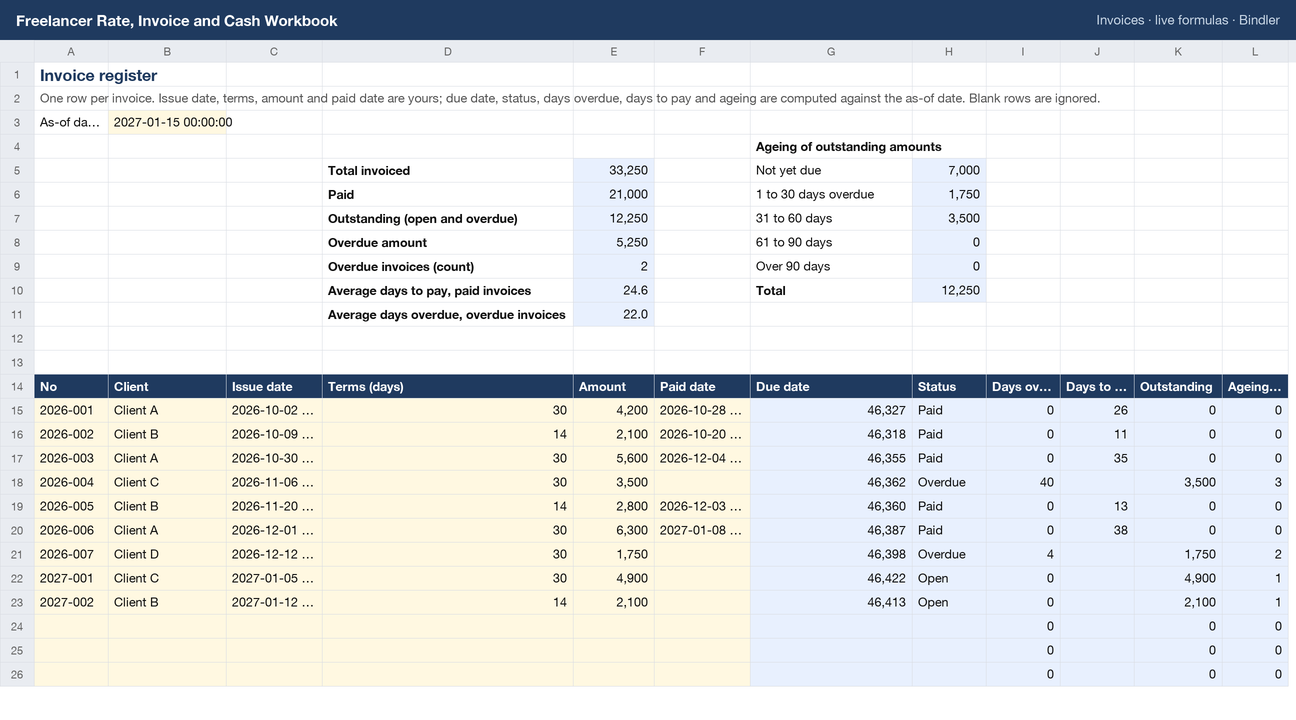
Invoices: forty rows with issue date, terms, amount and paid date. Due date, status (Paid, Open, Overdue against an as-of date), days overdue, days to pay and ageing buckets (not yet due, 1 to 30, 31 to 60, 61 to 90, over 90 days) are computed, with totals for invoiced, paid, outstanding and overdue and the average days to pay. Cash: twelve months of invoiced and receipts read from the register (paid invoices by paid month, open invoices by due month), business costs, one-offs, other income, tax set-aside and drawings to a closing bank balance and a tax reserve balance; plus days worked, billable days, utilisation, effective day rate and effective hourly rate by month and year to date.
- 163 checks (rate results, sensitivity grid, invoice summary and ageing, all twelve cash months, utilisation lines) recalculated with a formula engine and matched to an independent Python replica before listing.
- Live formulas, no macros, no locked cells; opens in Excel and Google Sheets. Currency is a label; use any.
- Arithmetic on your inputs, not tax or accounting advice: the tax reserve rate and filing dates come from your tax authority or accountant.
What is inside
1 Excel workbook (.xlsx), sheets: Rate, Invoices (40 rows), Cash (12 months), Guide, Sources.
Use it if
You freelance or contract and price by the day or hour, invoice several clients and want rate, invoices and cash in one file with the working shown.
Not for
You need accounting software with VAT returns, multi-currency ledgers or payroll; this is a planning and tracking workbook.
Sheet previews
How buying works
- Choose a licenceSingle user for one person, team for up to 10, consultancy to use with clients. The buttons above go to the Gumroad page.
- Pay on GumroadCard or PayPal; Gumroad is the merchant of record and handles VAT and the receipt.
- Download the fileThe .xlsx arrives on the receipt page and by email. It opens in Excel and Google Sheets; nothing to install.
- Use itYellow cells are inputs, blue cells are formulas, every figure names its source. Questions: reply to the receipt; every reply is read and answered, usually the same day.
Advisers and accountants who recommend these workbooks to clients can earn 30% of each sale as a Gumroad affiliate: sign up on the store, no approval wait.
Search terms this page answers: freelance day rate calculator excel, freelancer invoice tracker spreadsheet, contractor rate calculator, freelance cash flow template, utilisation effective hourly rate.