Project Finance for Renewables
How lenders size debt (PowerPoint toolkit, 20 slides)
20-slide PowerPoint on renewable project finance: cash flow waterfall, DSCR sculpting, P50 and P90, tolling and merchant, lender and sponsor metrics, templates.
Choose the licence on the Gumroad page. Payment and VAT are handled by Gumroad, the merchant of record. Also on Eloquens (ELQ-13072-1, same file).
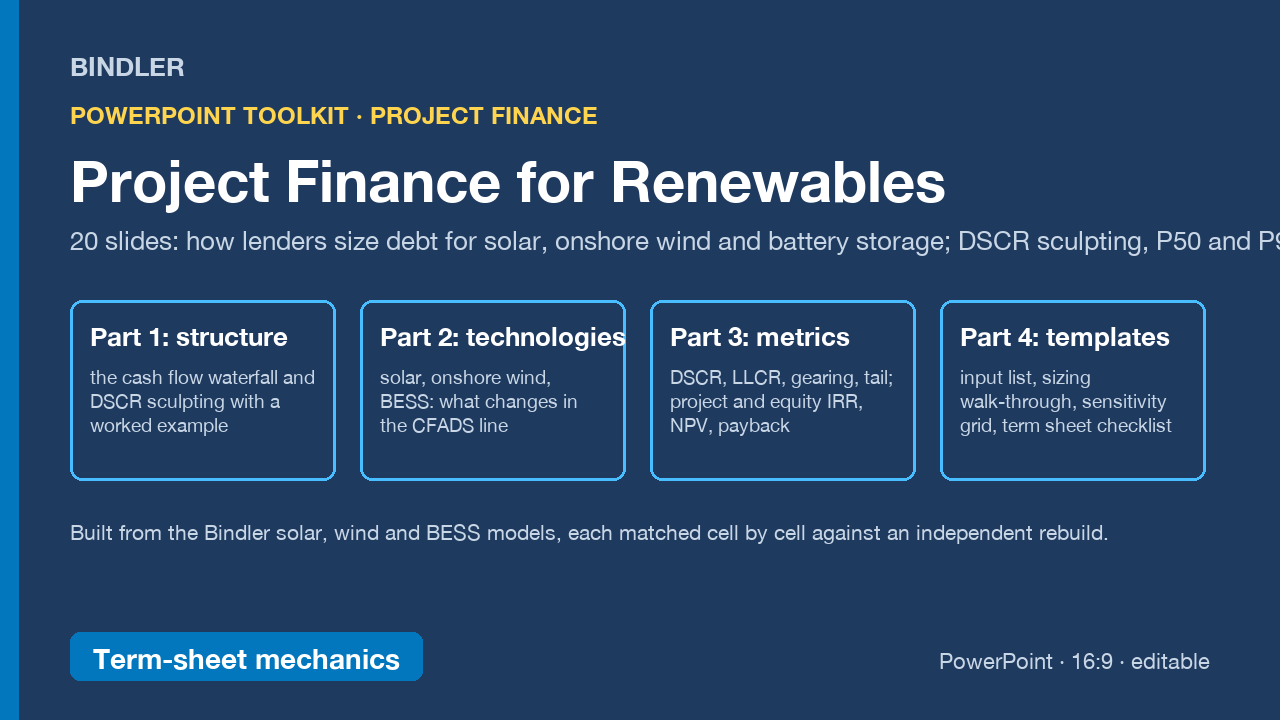
A 20-slide PowerPoint toolkit that explains how non-recourse debt is sized for solar, onshore wind and battery storage projects, built from the Bindler project finance models and written for the people who sit on either side of the term sheet.
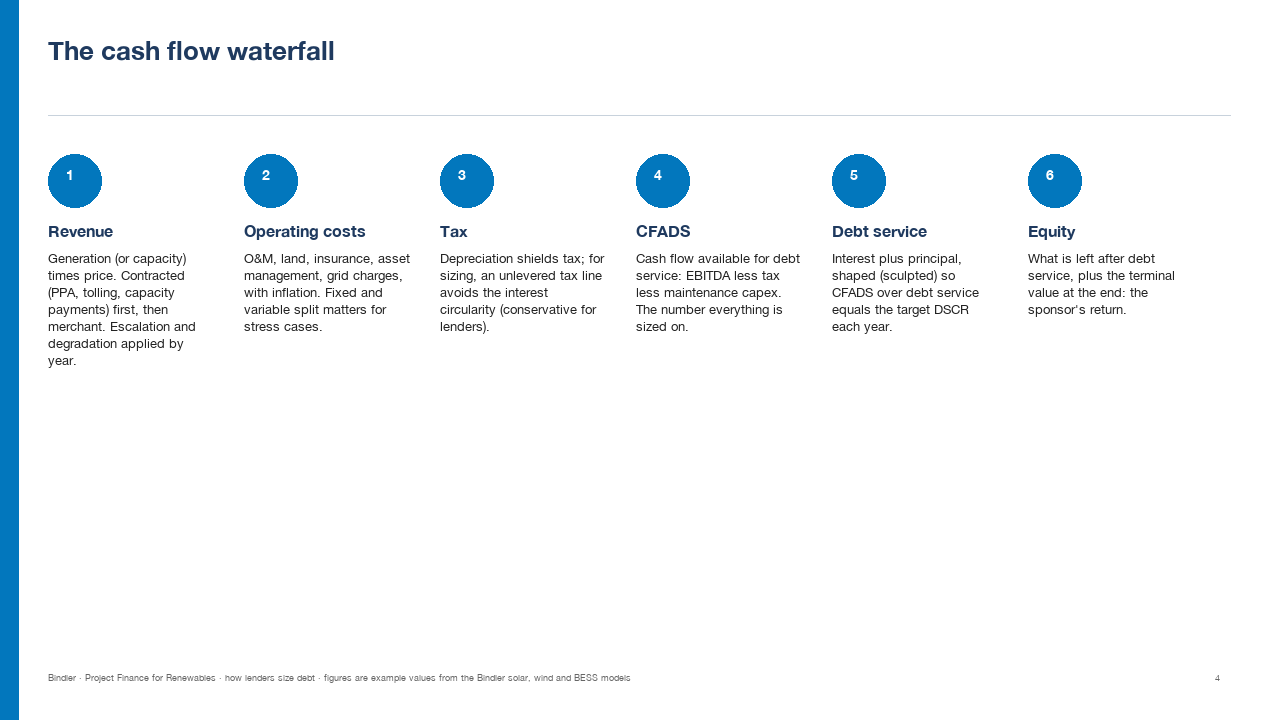
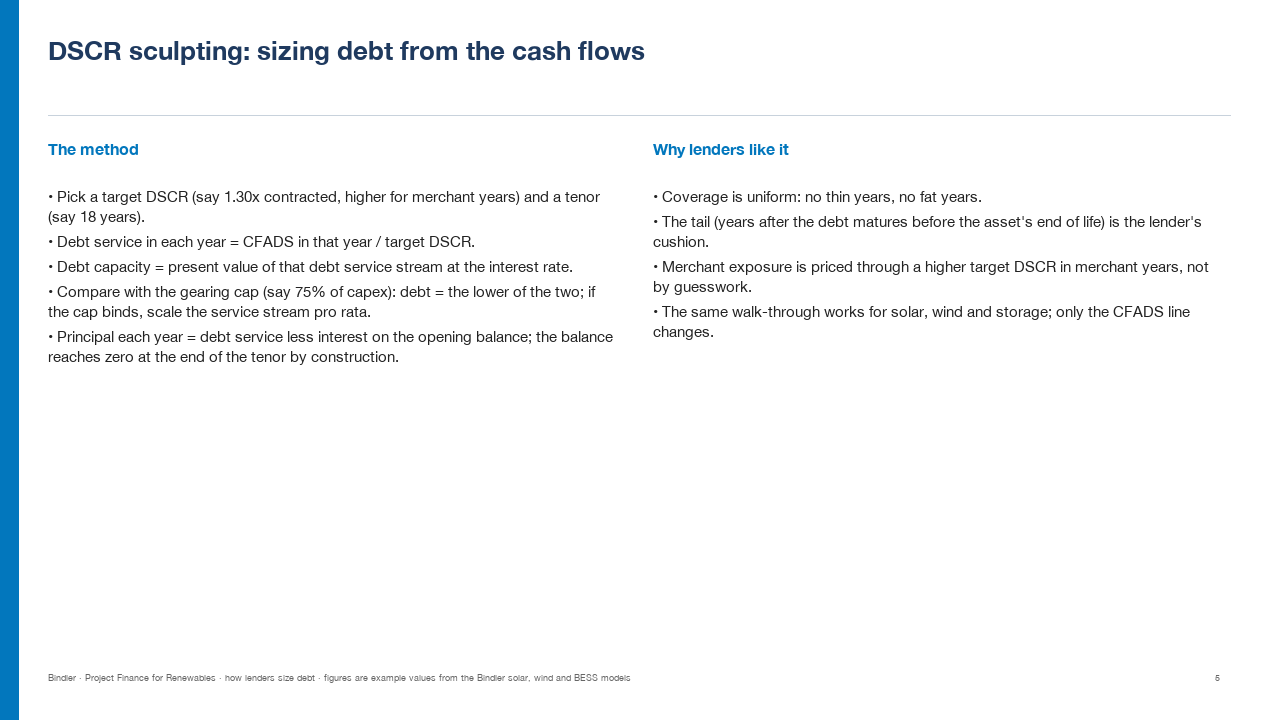
- Part 1, the structure: the cash flow waterfall from generation to equity, DSCR sculpting and the gearing cap explained step by step, and a worked solar example with example values.
- Part 2, the technologies: what changes in the CFADS line for solar (degradation, PPA then merchant), onshore wind (P50 and P90 energy cases and the lender case switch) and battery storage (tolling then merchant, capacity fade, augmentation), with what to watch on each.
- Part 3, the numbers: lender metrics (DSCR, LLCR, gearing, tenor and tail, the sizing case) and sponsor metrics (project and equity IRR, NPV, payback, stressed DSCR), and the design choices that keep a model honest.
- Part 4, templates: the full input list, the four-step sizing walk-through, a sensitivity grid and a term sheet checklist.
Editable 16:9 PowerPoint. All figures are example values from the models' default inputs, not market data; not investment or financing advice. Pairs with the Bindler Renewable Energy Project Finance Set (solar, wind and BESS models in Excel).
Who it is for: developers preparing for a lender process, analysts joining an infrastructure or renewables team, advisers and lenders who need a shared vocabulary with sponsors, and students learning project finance from a working model.
What is inside
1 PowerPoint deck (.pptx), 20 slides, 16:9, editable
Use it if
You need to explain or learn project finance mechanics for solar, wind or storage in a form a team can present.
Not for
You need a bank's internal credit policy or current market pricing; the deck explains mechanics with example values.
Who you are buying from
Bindler is the trading name of Neil Sangwaiya, one person in Dubai. There is no company behind that name, no sales team and no reviews, and this page is not going to pretend otherwise. What there is instead is a record. Gumroad takes the payment and is the merchant of record, so your card details never reach Bindler. Where a figure could not be verified the cell is left blank rather than filled. When something was found wrong it was written down and dated in the change log with the old figure named. And there is a 30-day money back guarantee, no reason needed, handled by Gumroad.
What you actually download
One PowerPoint file. No macros: the .pptx format cannot carry them. Every slide is editable and nothing is locked. If your IT will not open a deck from outside, it imports into Google Slides. And yes, an AI built it: that is exactly why every figure is recalculated against a replica worked out by hand first, rather than trusted.
Slide previews
How buying works
- Choose a licenceSingle user for one person, team for up to 10, consultancy to use with clients. The buttons above go to the Gumroad page.
- Pay on GumroadCard or PayPal; Gumroad is the merchant of record and handles VAT and the receipt.
- Download the fileThe .xlsx arrives on the receipt page and by email. It opens in Excel and Google Sheets; nothing to install.
- Use itYellow cells are inputs, blue cells are formulas, every figure names its source. Questions: reply to the receipt; every reply is read and answered, usually the same day.
Advisers and accountants who recommend these workbooks to clients can earn 30% of each sale as a Gumroad affiliate: sign up on the store, no approval wait.
Search terms this page answers: renewable project finance training deck dscr sculpting, how lenders size debt solar wind bess slides, project finance for renewables course.