SFDR PAI Statement Workbook
14 Mandatory Indicators (Annex I Table 1)
Compute all 14 mandatory SFDR principal adverse impact indicators for investee companies, in the Annex I Table 1 format.
Choose the licence on the Gumroad page. Payment and VAT are handled by Gumroad, the merchant of record. Also sold on Flevy ($39, single user, same file). Also on Eloquens (ELQ-73805-1, same file).
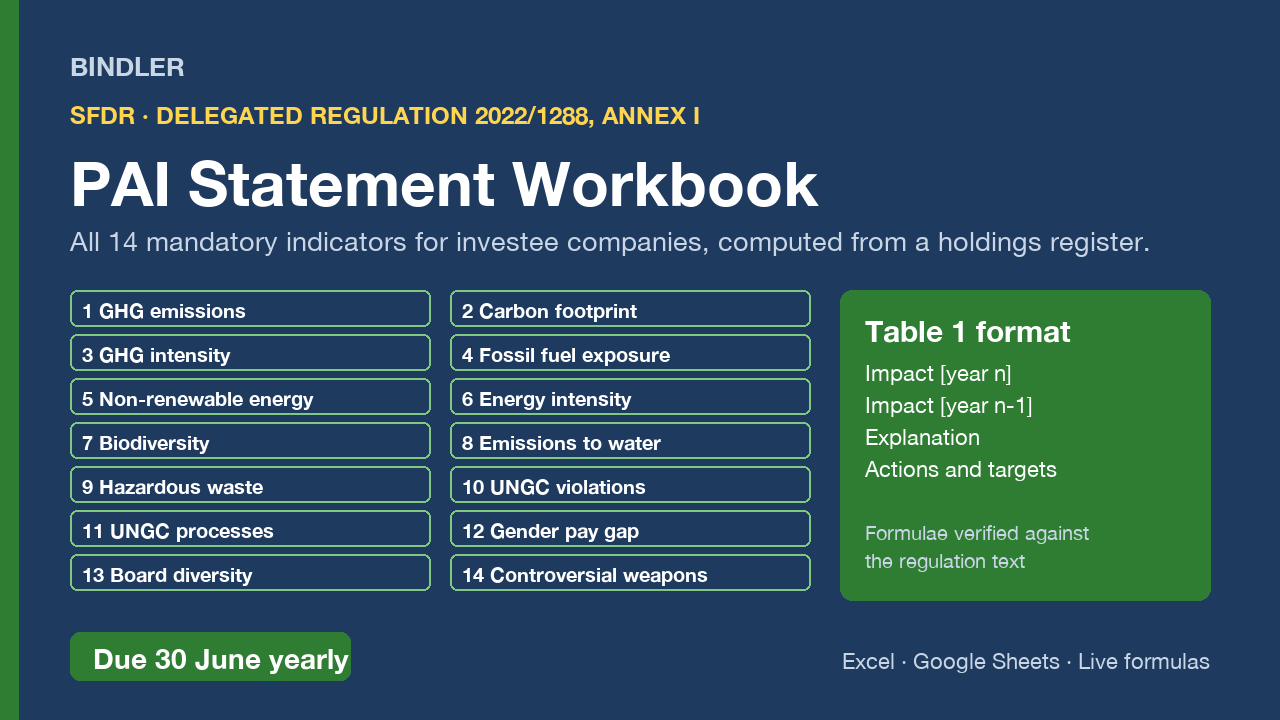
Financial market participants that consider principal adverse impacts must publish a PAI statement every year by 30 June, in the Table 1 format of Annex I to Delegated Regulation (EU) 2022/1288. This workbook computes the 14 mandatory indicators for investee companies from a holdings register.
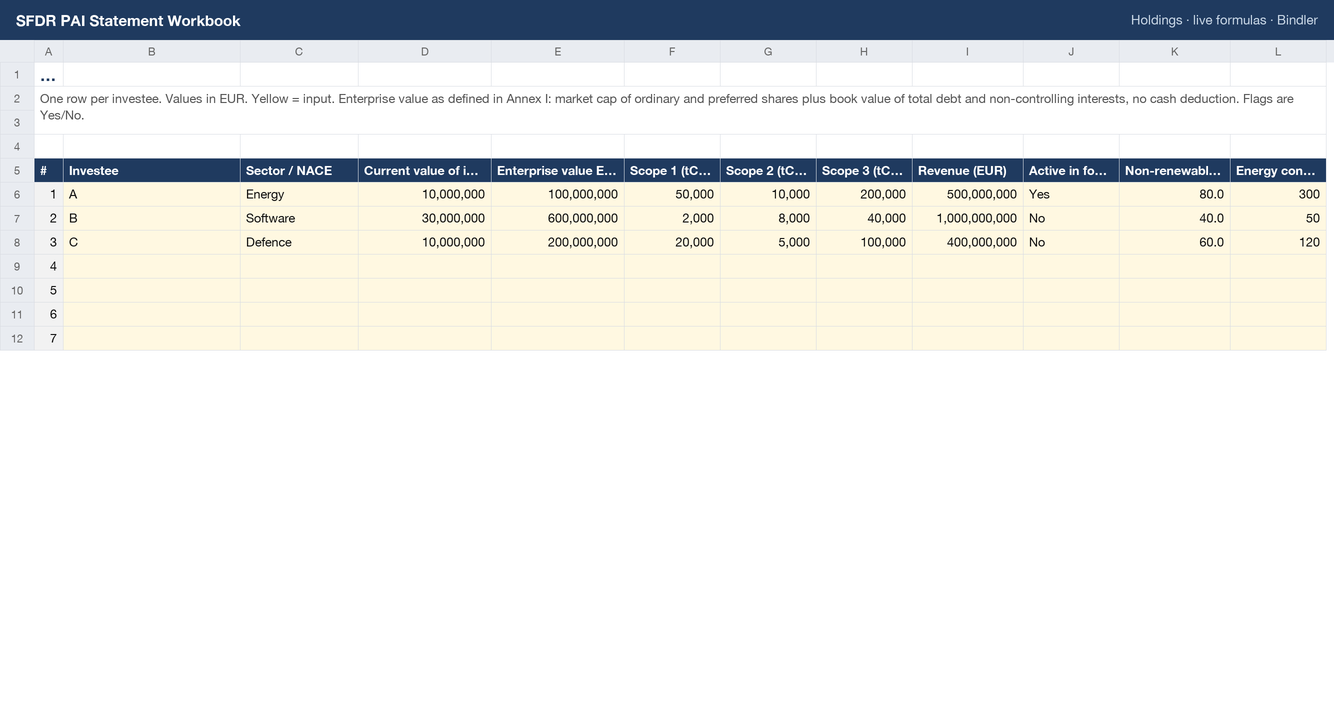
- Holdings register for up to 100 investees: current value of investment, enterprise value (Annex I definition), Scope 1, 2 and 3, revenue, and the flags and metrics behind indicators 4 to 14.
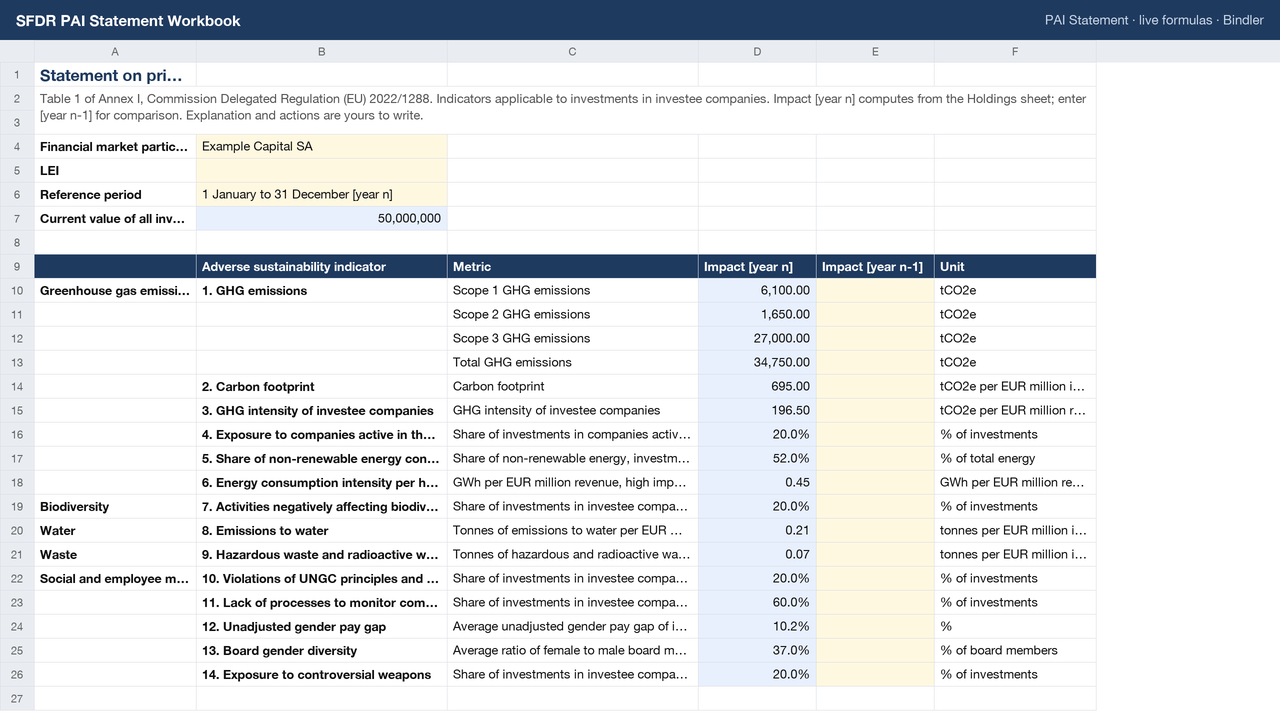
- PAI Statement sheet in the Table 1 layout: indicator, metric, Impact [year n] computed, Impact [year n-1] for your prior figure, Explanation and Actions columns for the narrative the regulation expects.
- Formulae verified against the regulation itself: GHG emissions attributed by current value over enterprise value; carbon footprint per EUR million invested; GHG intensity weighted by portfolio share over revenue. Every share-of-investments and weighted-average indicator built the same way and documented.
- Definitions sheet states the method for every indicator so an assurance provider can follow the working.
Pairs with the Bindler PCAF calculator, which uses the same enterprise value definition. Covers investee company indicators; sovereign and real estate tables are not included. Live formulas, no macros, no locked cells. Excel and Google Sheets.
What is inside
1 Excel workbook (.xlsx), sheets: Guide, PAI Statement, Holdings, Definitions and sources
Use it if
You are a financial market participant publishing the annual PAI statement by 30 June.
Not for
You need the sovereign or real estate indicator tables; this covers investee companies.
Who you are buying from
Bindler is the trading name of Neil Sangwaiya, one person in Dubai. There is no company behind that name, no sales team and no reviews, and this page is not going to pretend otherwise. What there is instead is a record. Gumroad takes the payment and is the merchant of record, so your card details never reach Bindler. Where a figure could not be verified the cell is left blank rather than filled. When something was found wrong it was written down and dated in the change log with the old figure named. And there is a 30-day money back guarantee, no reason needed, handled by Gumroad.
What you actually download
One spreadsheet file. No macros and no VBA, because the .xlsx format cannot carry them. No locked cells and no hidden sheets. If your IT will not let you open a spreadsheet from outside, upload it to Google Sheets and it opens there. And yes, an AI built it: that is exactly why every figure is recalculated against a replica worked out by hand first, rather than trusted.
Sheet previews
How buying works
- Choose a licenceSingle user for one person, team for up to 10, consultancy to use with clients. The buttons above go to the Gumroad page.
- Pay on GumroadCard or PayPal; Gumroad is the merchant of record and handles VAT and the receipt.
- Download the fileThe .xlsx arrives on the receipt page and by email. It opens in Excel and Google Sheets; nothing to install.
- Use itYellow cells are inputs, blue cells are formulas, every figure names its source. Questions: reply to the receipt; every reply is read and answered, usually the same day.
Advisers and accountants who recommend these workbooks to clients can earn 30% of each sale as a Gumroad affiliate: sign up on the store, no approval wait.
Search terms this page answers: sfdr pai statement template excel, principal adverse impact indicators.