Mortgage Overpayment Comparison
Monthly overpayment vs lump sum vs none, months and interest saved, verified
The same mortgage run three ways side by side, no overpayment, a fixed monthly overpayment, a one-off lump sum, with the months and interest each one saves.
Not on Gumroad yet: the store admits ten new listings a day and this one is in the queue. Follow below and the link arrives the day it goes live.
The price applies once the listing is live. Payment and VAT are handled by Gumroad, the merchant of record.
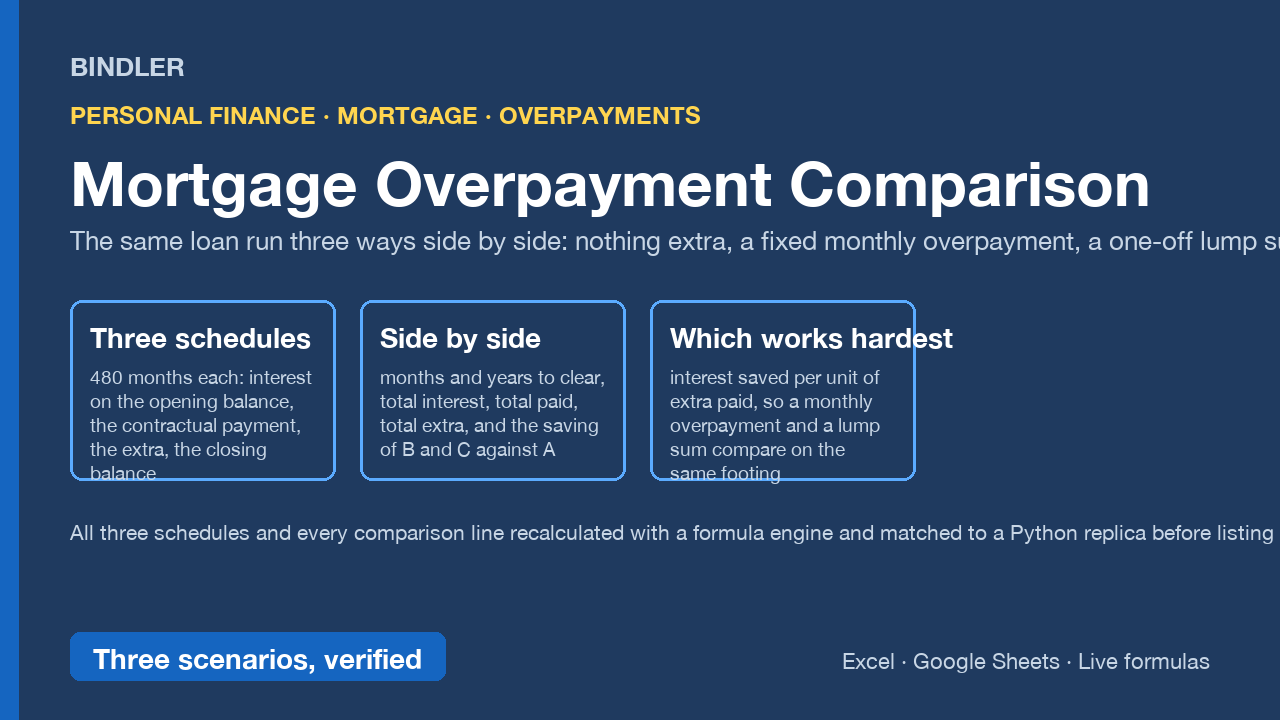
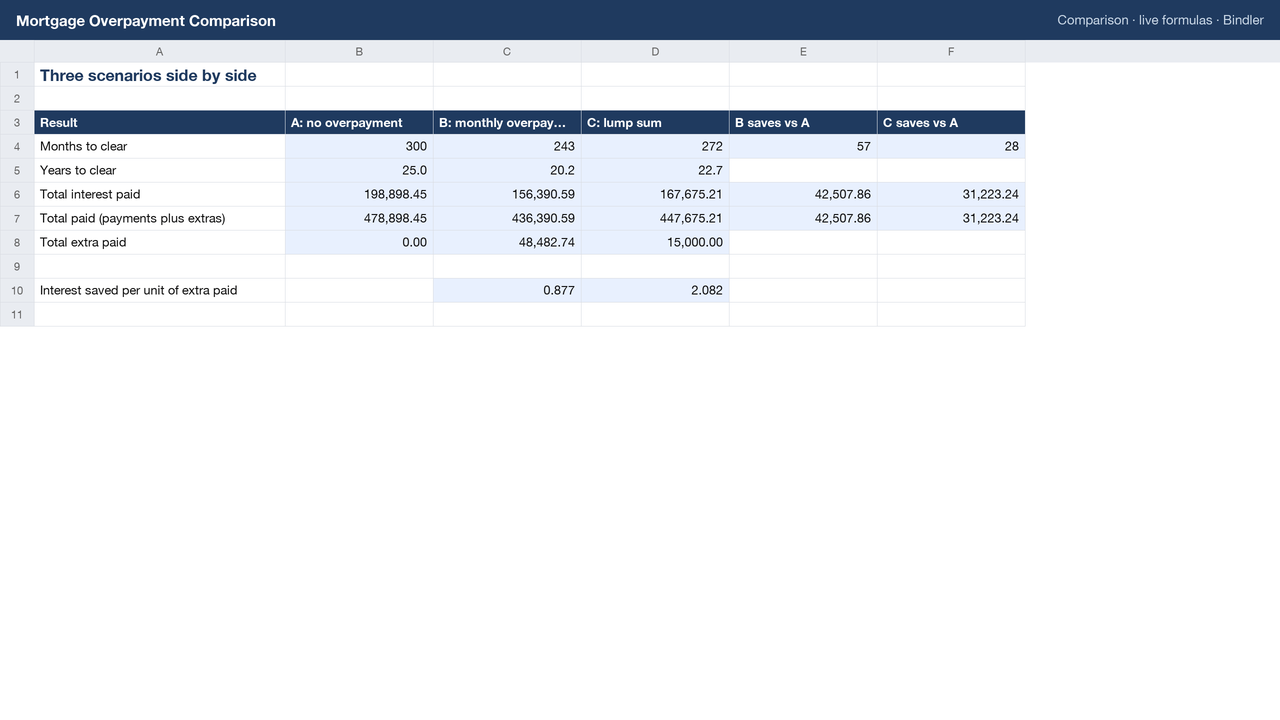
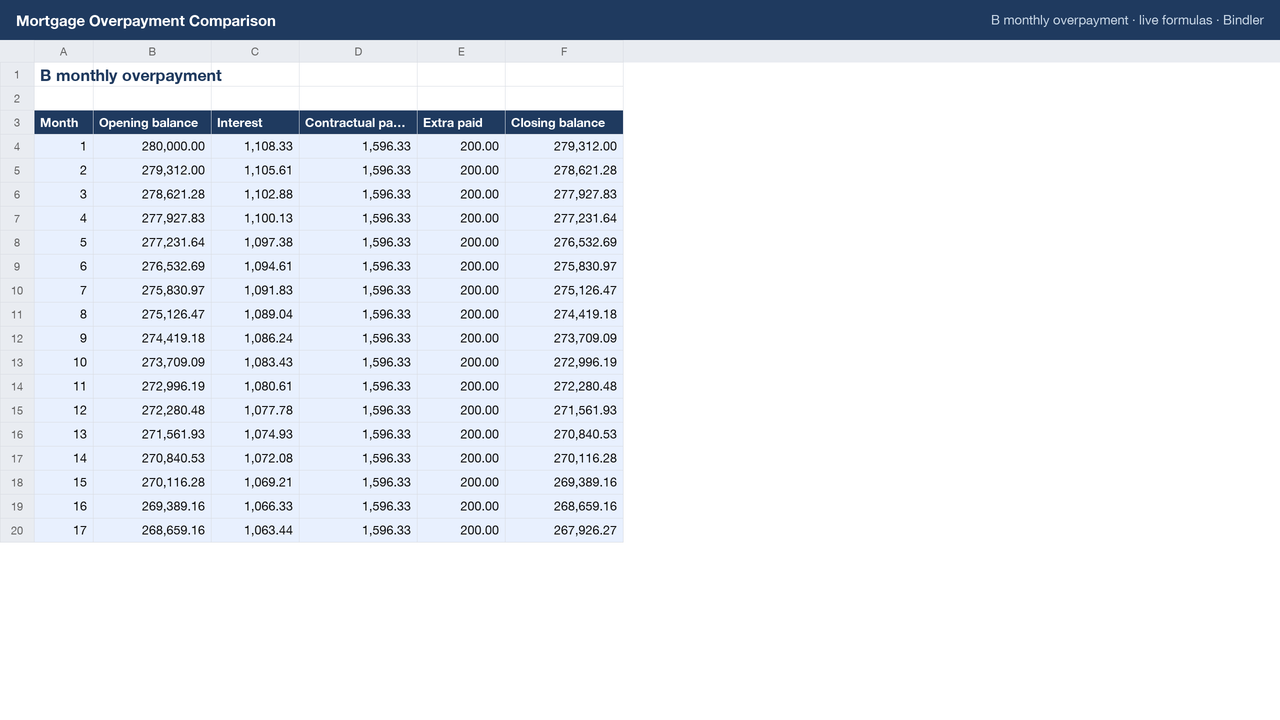
Enter the balance, rate and remaining term, a fixed monthly overpayment for scenario B and a lump sum with its month for scenario C. The workbook runs all three for up to 480 months: interest on the opening balance, the contractual payment (never more than balance plus interest), the extra, the closing balance. The Comparison sheet puts them side by side: months and years to clear, total interest, total paid, total extra, the saving of B and C against A, and interest saved per unit of extra paid, so a monthly overpayment and a lump sum compare on the same footing.
- All three schedules and every comparison line recalculated with a formula engine and matched to an independent Python replica before listing.
- Live formulas, no macros, no locked cells; opens in Excel and Google Sheets.
- Overpayment allowances, early repayment charges, rate changes at the end of a fix, and offset accounts are outside the workbook and the Guide says so. Arithmetic on your own numbers, not financial advice.
What is inside
1 Excel workbook (.xlsx), sheets: Inputs, Comparison, A no overpayment, B monthly overpayment, C lump sum (480 months each), Guide.
Use it if
You are deciding whether and how to overpay a mortgage and want the arithmetic shown month by month.
Not for
You need a remortgage comparison across products with fees and fixed periods; this compares overpayment strategies on one loan.
Sheet previews
How buying works
- Choose a licenceSingle user for one person, team for up to 10, consultancy to use with clients. The buttons above go to the Gumroad page.
- Pay on GumroadCard or PayPal; Gumroad is the merchant of record and handles VAT and the receipt.
- Download the fileThe .xlsx arrives on the receipt page and by email. It opens in Excel and Google Sheets; nothing to install.
- Use itYellow cells are inputs, blue cells are formulas, every figure names its source. Questions: reply to the receipt; every reply is read and answered, usually the same day.
Advisers and accountants who recommend these workbooks to clients can earn 30% of each sale as a Gumroad affiliate: sign up on the store, no approval wait.
Search terms this page answers: mortgage overpayment calculator excel, lump sum vs monthly overpayment, mortgage amortisation spreadsheet extra payments, how much interest saved overpaying mortgage.